Upgrading to AuthFlow 1.1 (Non-Watchtower Device)
Overview
Covers upgrading the ATAK AuthFlow plugin from version 0.1 to version 1.1 on an Android device that is not enrolled in Watchtower. You will check which ATAK and AuthFlow versions you have, download the AuthFlow 1.1 installer, install it over the old version, and confirm the upgrade worked.
If your device is managed by Watchtower, use Upgrading to AuthFlow 1.1 instead.
Once AuthFlow 1.1 is installed, continue to AuthFlow 1.1 Configuration to set the plugin's preferences and log in.
AuthFlow 1.1 will not run on ATAK versions earlier than 5.7. AuthFlow 0.1 is only for ATAK 5.6 and older. Check your ATAK version first (Step 1) and update ATAK if needed before installing the plugin.
Prerequisites
- ATAK 5.7 or higher installed on your Android device.
- AuthFlow 0.1 currently installed (this module upgrades it to 1.1).
- A way to download the AuthFlow 1.1 installer on the device — the QR code for the AuthFlow 1.1 plugin.
Steps
Part 1: Check your versions
-
Open ATAK. On the opening (splash) screen, look at the bottom-left corner for the version number. It must read 5.7 or higher (for example,
Version 5.7.0.15, highlighted below).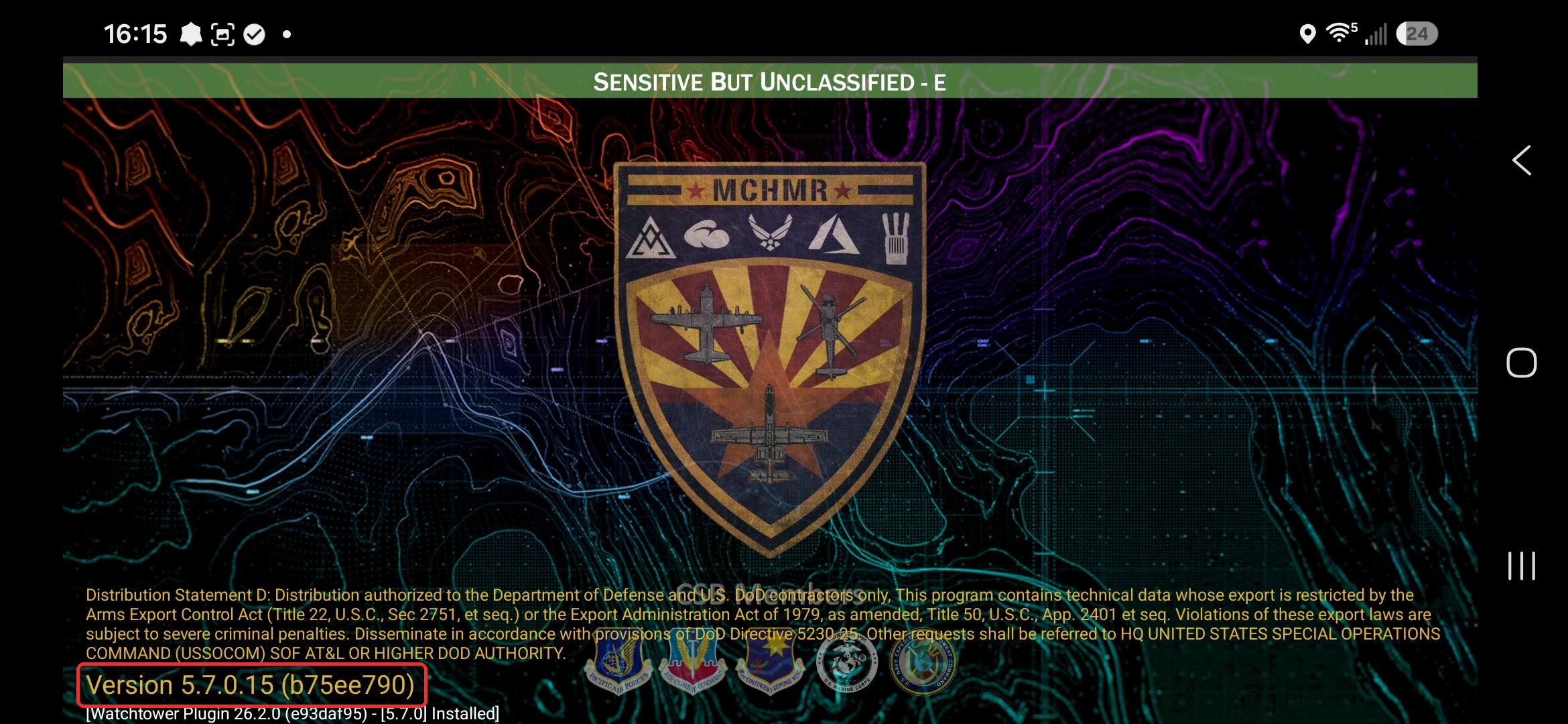 note
noteIf your version is lower than 5.7, update ATAK before continuing. AuthFlow 1.1 will not run on earlier versions.
-
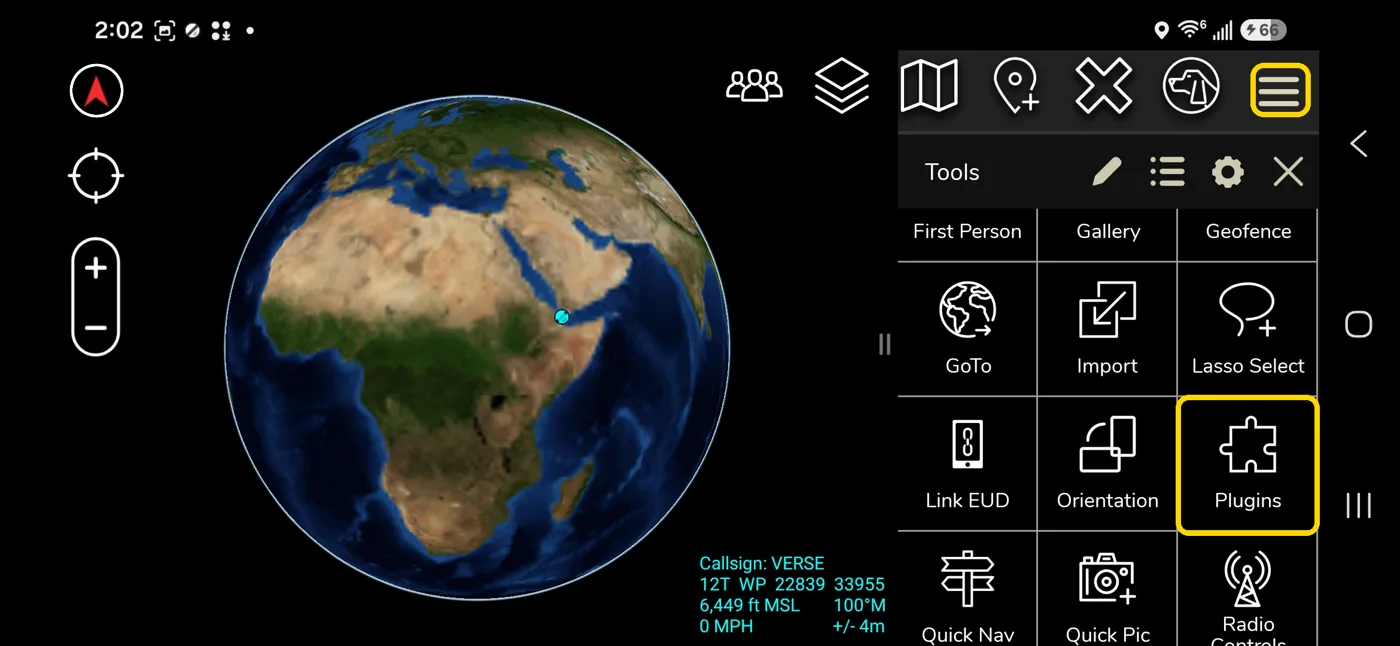
In ATAK, tap the hamburger menu in the top-right corner of the map to open the Tools panel, then tap Plugins.
-
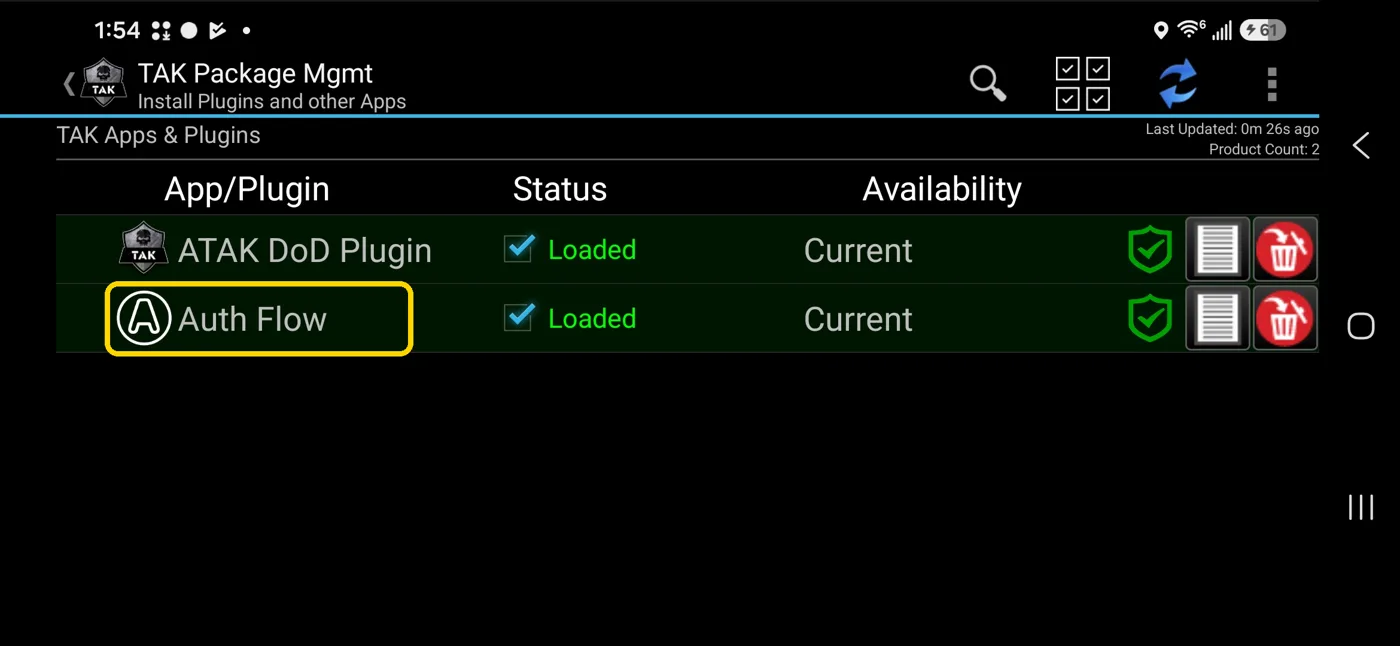
On the TAK Package Mgmt screen, find Auth Flow in the list and tap it.
-
Read the version in the Auth Flow dialog. If it reads Auth Flow v0.1 (for example,
v0.1 (d36df12e) - [5.6.0]), you have the old version and need to upgrade. Tap Cancel to close the dialog. note
noteYou do not need to uninstall version 0.1 — the next steps install 1.1 directly over it. Tap Cancel, not Uninstall.
noteIf the dialog already reads v1.1 (for example,
v1.1 (85e1afca) - [5.7.0]), you're up to date and can skip to AuthFlow 1.1 Configuration.
Part 2: Download the AuthFlow 1.1 installer
-
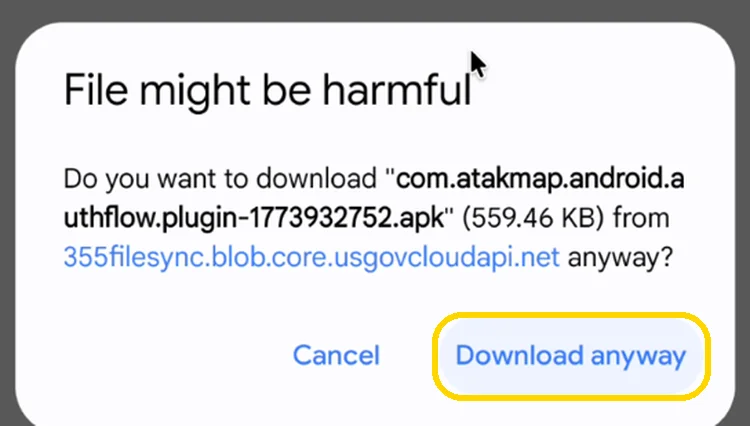
On your Android device, open your camera and scan the QR code for AuthFlow 1.1, or open the AuthFlow 1.1 download link in your device's browser. This downloads the AuthFlow plugin installer (an
.apkfile).noteA warning message may appear — tap Download anyway to continue.
Part 3: Install AuthFlow 1.1
-
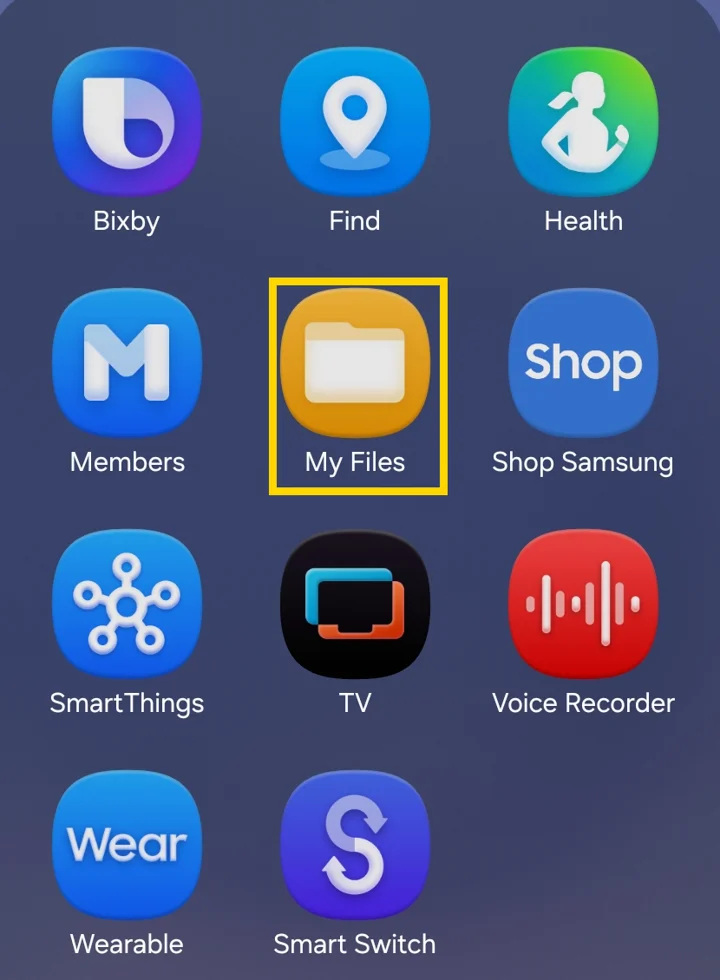
Open your file manager. On Samsung devices, open the Samsung folder and tap My Files. On other devices, open Files by Google.
-
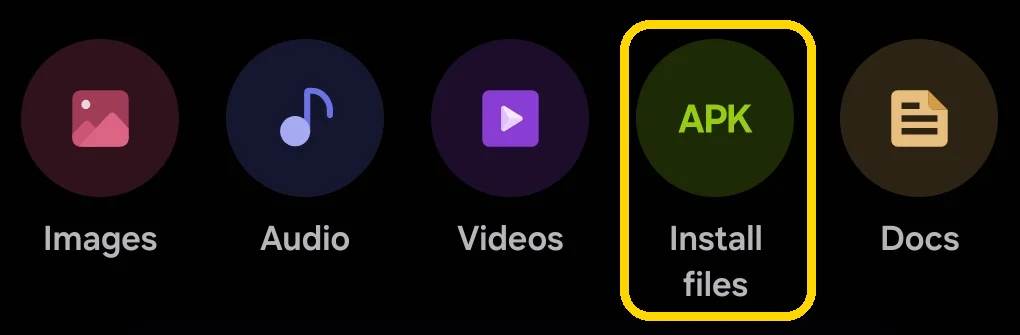
In My Files, tap Install files.
-
Tap the AuthFlow installer,
ATAK-Plugin-auth…-civ-release.apk, to start the install.
-
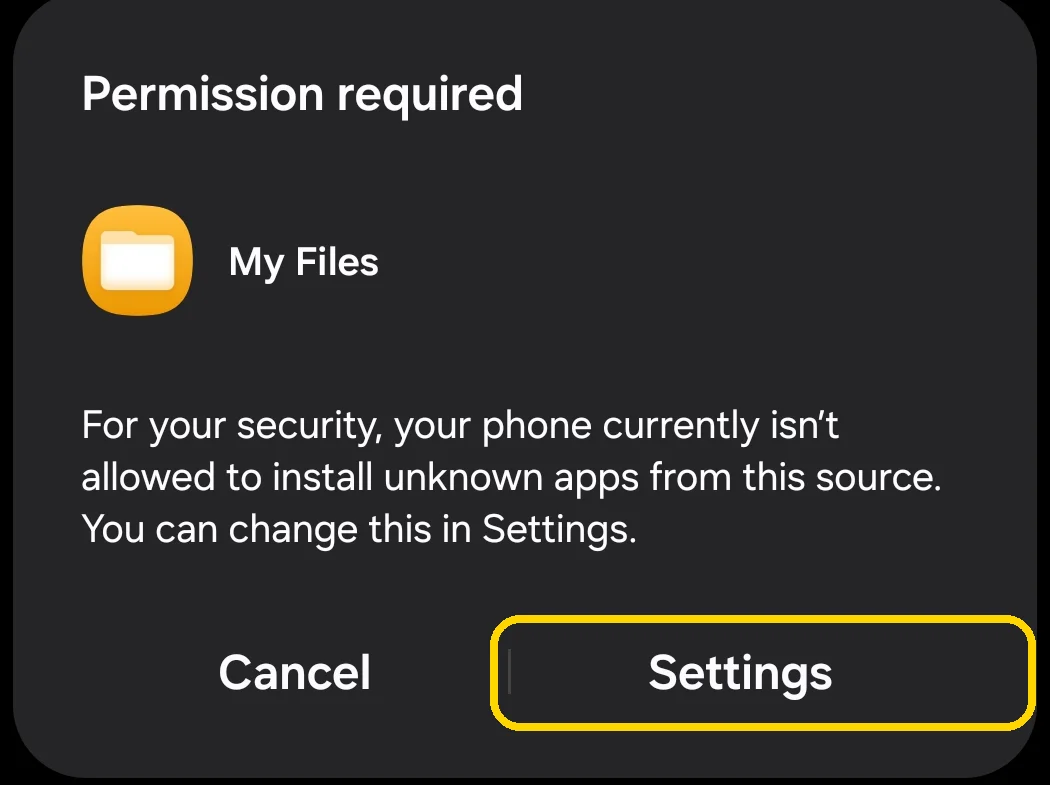
If a Permission required message appears saying your phone isn't allowed to install unknown apps from this source, tap Settings.
-
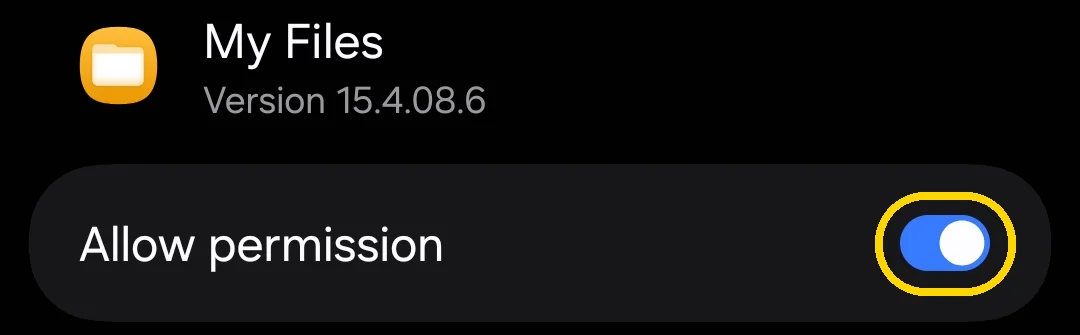
On the Install unknown apps screen, turn Allow permission on.
-
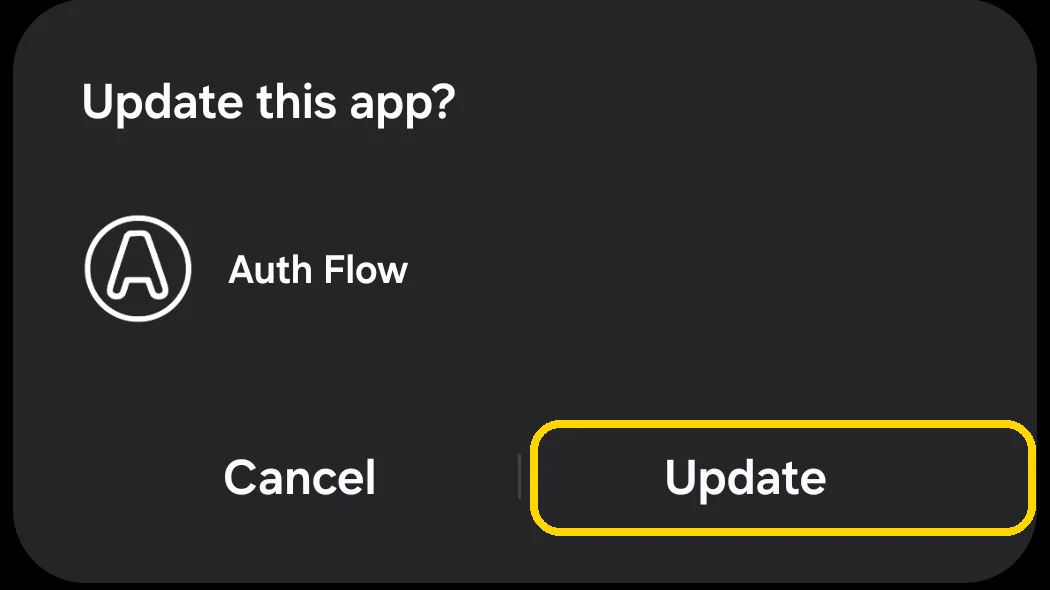
Go back to Installation files and tap the AuthFlow installer again. When Update this app? appears for Auth Flow, tap Update.
-
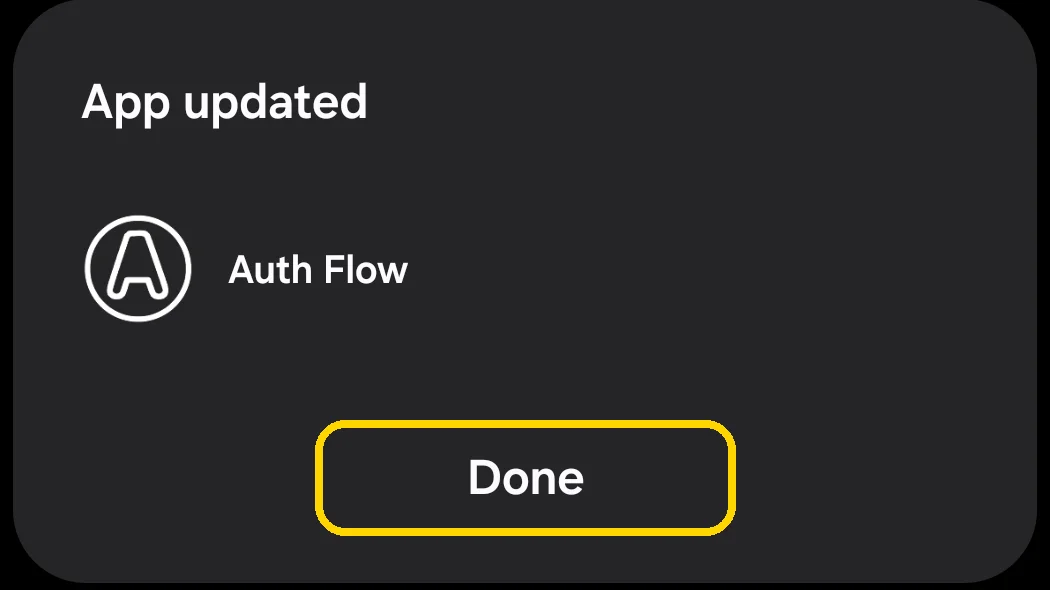
When App updated appears, tap Done. AuthFlow 1.1 is now installed.
Part 4: Confirm the upgrade
-
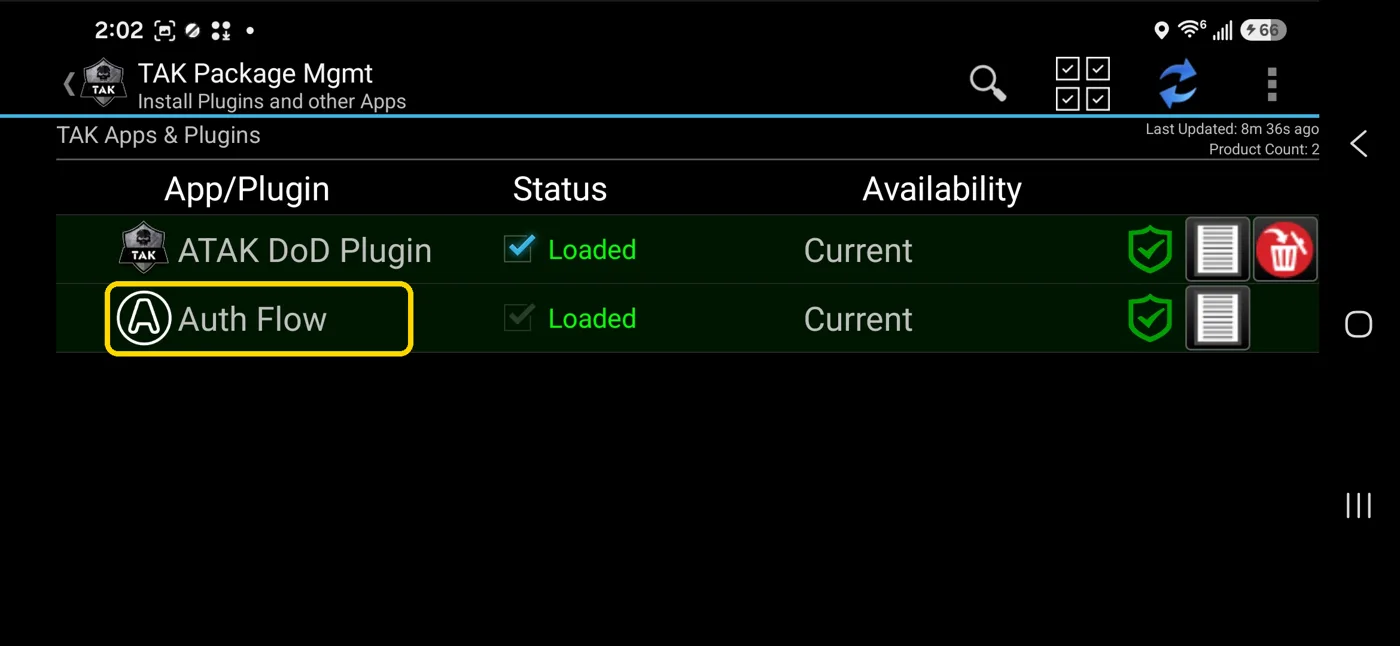
Open ATAK, tap the hamburger menu, then tap Plugins (as in Step 2). Auth Flow should be listed as Loaded and Current.
-
Tap Auth Flow and confirm the dialog now reads Auth Flow v1.1 with [5.7.0] (for example,
v1.1 (85e1afca) - [5.7.0]). Tap Cancel to close it.![Auth Flow dialog reading Auth Flow v1.1 (85e1afca) - [5.7.0] is loaded and current](/assets/images/authflow-1-1-upgrade-non-watchtower-13-auth-flow-version-1-1-9d41bc37ecbb7e05d8d17b7ddc5b6b60.webp)
Next step
Continue to AuthFlow 1.1 Configuration.
Troubleshooting
- AuthFlow 1.1 won't load or run: confirm ATAK is version 5.7 or higher (Step 1).
- Auth Flow still shows v0.1 after the install: repeat Part 3 and make sure you scanned the QR code for AuthFlow 1.1, not 0.1, then re-check the version in Step 4.
- "Permission required" appears again: turn Allow permission on for your file manager (Step 10), then tap the installer again.
- The installer isn't listed under Install files: confirm the download finished (Step 5) and check your Downloads folder.
Related modules
- Upgrading to AuthFlow 1.1 (Watchtower-managed devices)
- AuthFlow 1.1 Configuration
- AuthFlow 0.1 Configuration (previous version)
- Installing ATAK